
Community
Sagar Club Telegram – official channel
t.me/sagarclub — the official channel.
Updated 20 October 2026
In this article 6
The official Sagar Club Telegram channel is t.me/sagarclub. It’s where announcements, event times and app updates are posted first.

Join the official channel
One tap to join. Mute it if you only want the big announcements.
What’s posted there
- Event start times
- New games and app updates
- Maintenance notices
Spotting fake channels
- The official link is t.me/sagarclub — check the spelling.
- Admins never DM you first to ask for your OTP.
- Nobody official sells coins.
Joining
- Open t.me/sagarclub on your phone.
- Tap Join.
- Mute it if you only want to check occasionally.
Getting help there
Post your question in the channel’s discussion or message the admins listed in the channel description. Include the round number if it’s about a game — and never your password or OTP.
Back to Sagar Club.
Telegram and in-app support
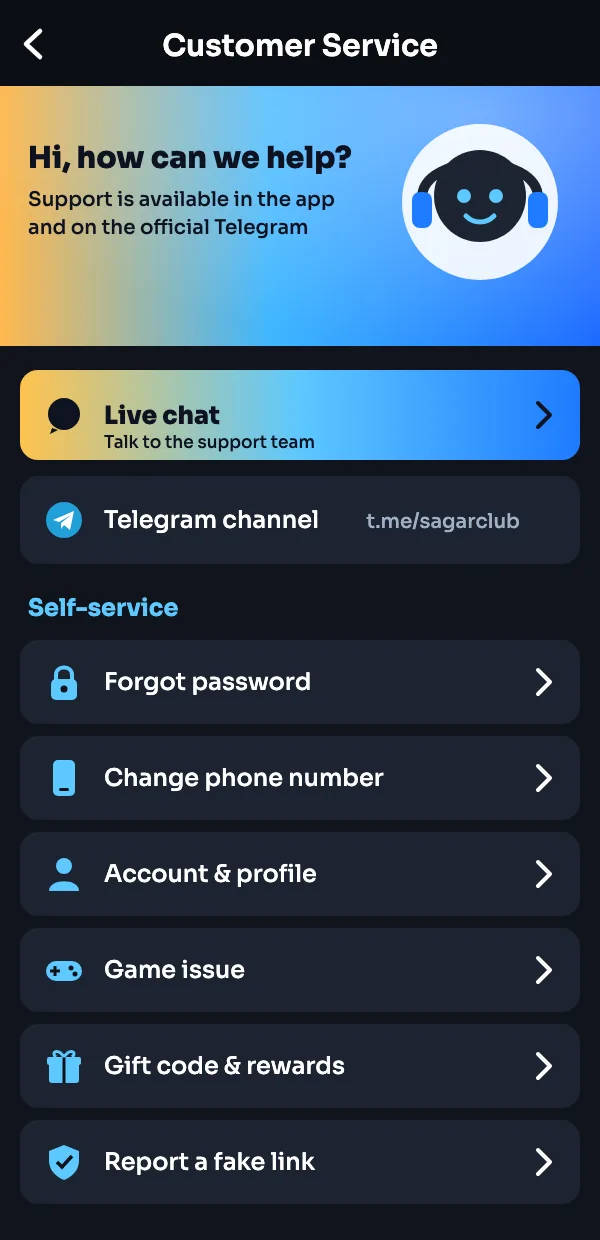
The official channel is t.me/sagarclub. It is linked inside the app under Customer Service, so you can always check you are in the right place. Gift codes, event times and update notes are posted there first; account problems go to Live chat in the app.
More on Sagar Club
Was this page helpful?